CS 452/652 - Märklin Control Station 3 (CS3)

Basics

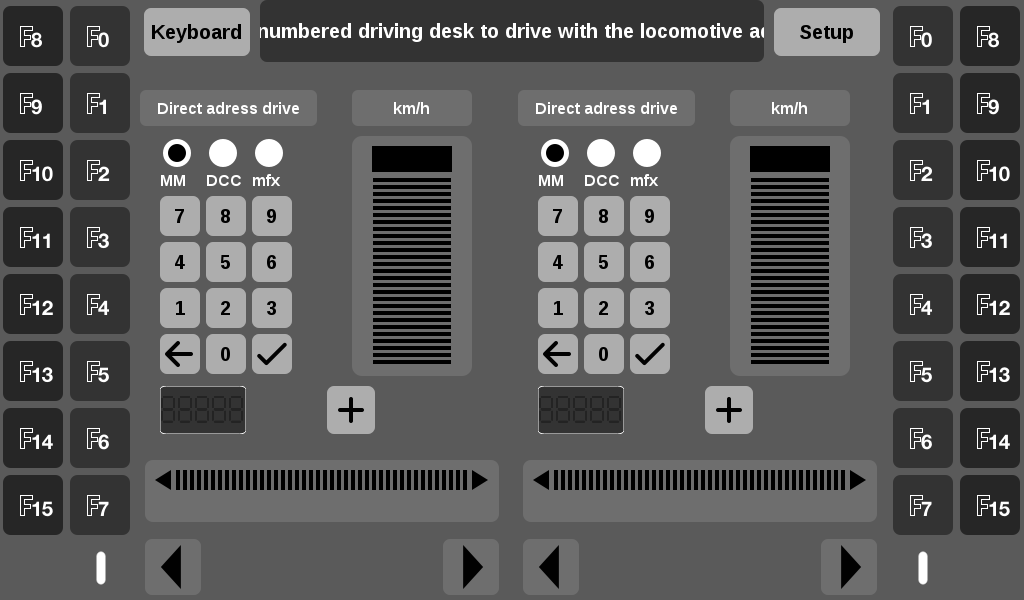
The CS3 operates in either Simplified or Standard mode. The mode used for CS 452/652 is Simplified and this should not be changed. The default screen is shown here:

Märklin CS3 Simplified Control Screen

When entering a train number on either side of the screen, the screen will respond to the various train commands (speed, light, direction). It is also possible to manually control a train using this interface, although this should never be necessary during CS 452/652.
Reset

If you ever encounter the CS3 in a questionable state, these are the steps from the main screen to reset to the well-defined default configuration for CS 452/652.

Simplified

From the Simplified main screen, click 'Setup' to reach the Setup screen:

Märklin CS3 Simplified Setup Screen

Next, click 'Restore' to reach the Restore screen:
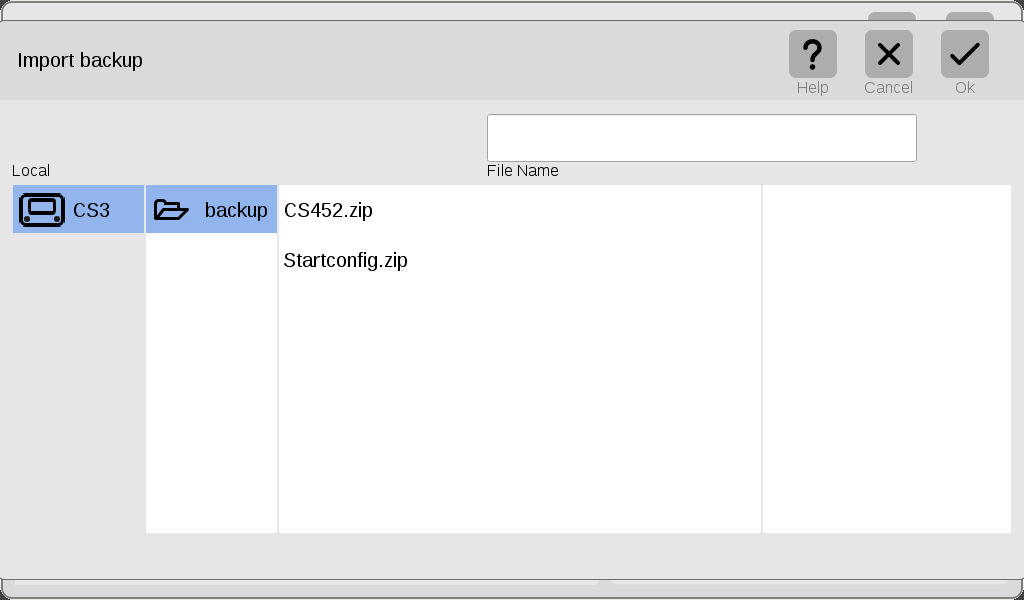
Märklin CS3 Restore Screen

From there, choose 'CS452.zip' and click the 'Ok' button to reset the CS3.
Standard

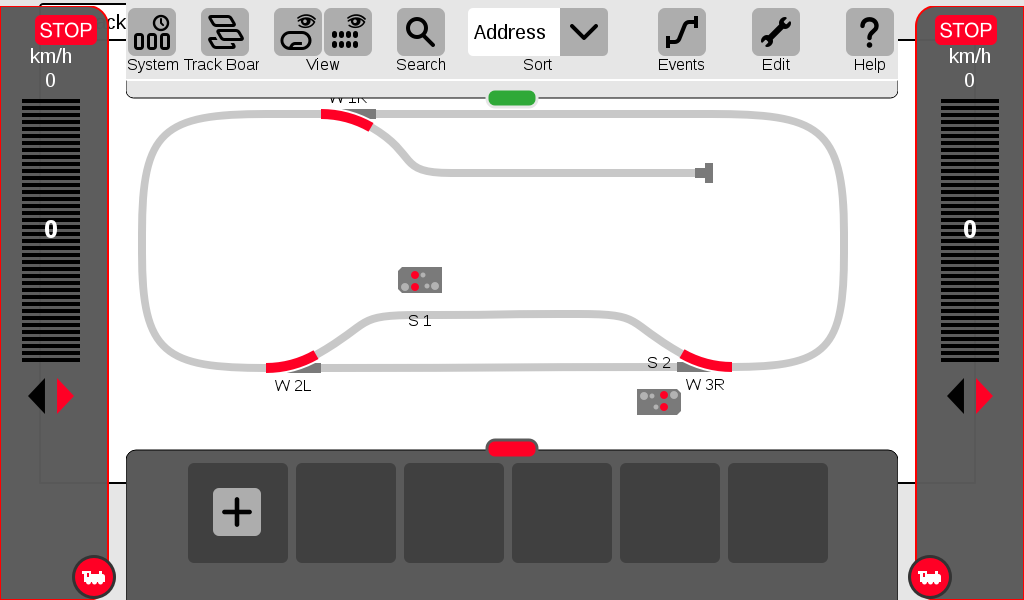
If the CS3 happens to be in 'Standard' mode:

Märklin CS3 Standard Control Screen

click 'System' to enter the System screen:
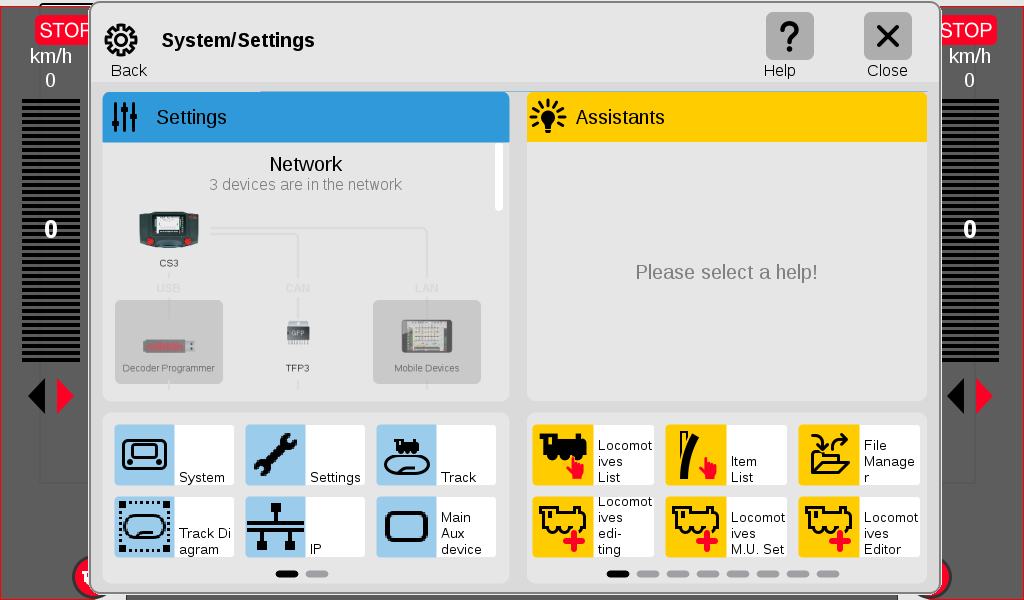
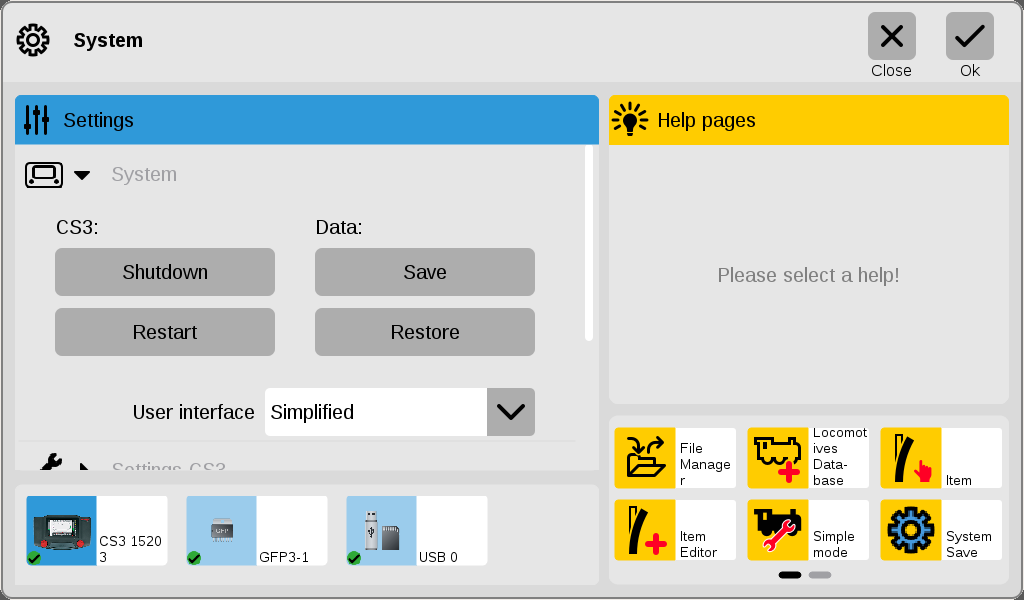
Märklin CS3 Standard System Screen

From there, click again 'System' (near bottom-left) to enter the Settings screen:
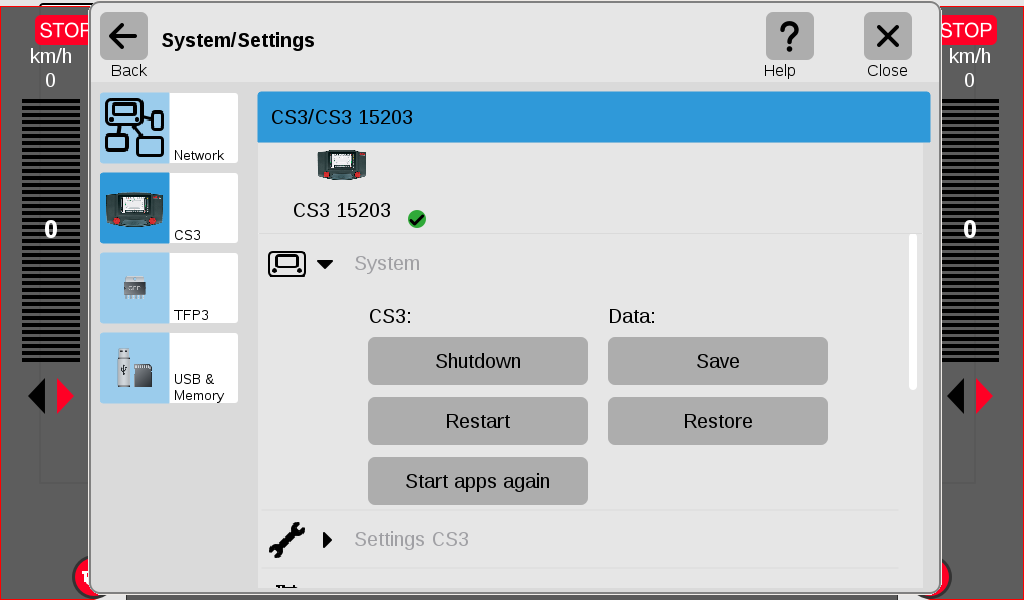
Märklin CS3 Standard Settings Screen

Next, click 'Restore' to reach the Restore screen:

Märklin CS3 Restore Screen

From there, choose 'CS452.zip' and click the 'Ok' button to reset the CS3.