CS125: Introduction to Programming Principles
Setting your working directory in DrJava
These instructions will show you how to change your working directory in DrJava so that you don't have to navigate to your U:\cs125 folder (or whichever folder you keep your work in) every time that you want to load or save your work.
| 1 | Open Dr. Java. |
| 2 | Go to the Edit Menu and chose Preferences... |
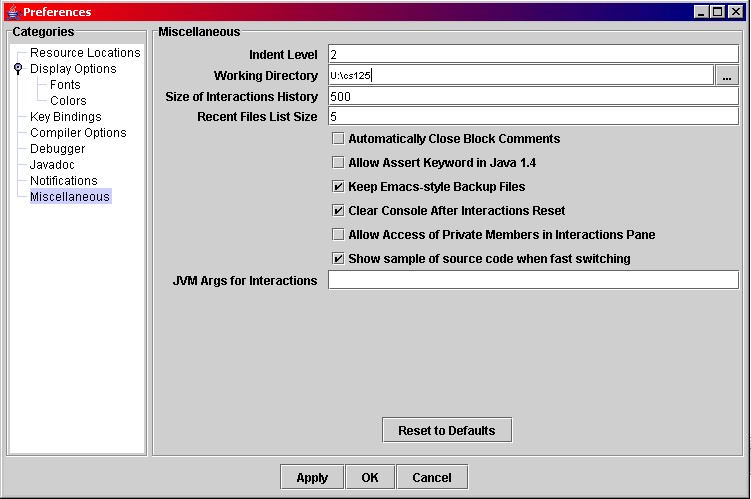
| 3 | Chose the Miscellaneous category from the list on the left of the screen. |
| 4 | Go to the text field labelled Working Directory and type in u:\cs125 (or the working directory of your choice), or navigate to a directory by clicking the ... button at the right of the text field. |
| 5 | Click the Apply button. Then click the OK button. |
| 6 | See screenshot below. |