Organize GitLab#
Make sure that you Setup GitLab before proceeding with this step.
See Project > Deliverables for details on your GitLab project structure.
README file#
You should have a single README.md in the root of your Git repository. GitLab will display the contents of this file automatically when you visit your repository, so it should serve as a landing page for your project.
Add the following details to get started.
- Project name
- Project description (1-2 sentence description)
- Team member names, roles that have been assigned and contact info
- A link to a team contract, which includes guidelines on how you will communicate and interact.
As your project progresses, you will be expected to update this file with new documents. The format is specified under Deliverables > README.
Wiki pages#
The headings in the README file should link to Wiki pages for each section. To create a Wiki page, open your GitLab project and navigate to Plan > Wiki and Create your first page. You can repeat for successive pages.
All wiki pages should link to your README file.
Tracking Milestones#
A milestone is a significant date in your project (see Project > Milestones).
To track the work done towards a milestone, you should create a milestone “container” in your GitLab project. You should have one milestone registered for each major presentation i.e. four in total.
To create a milestone, open your GitLab project, navigate to Plan > Milestones and click the + button.
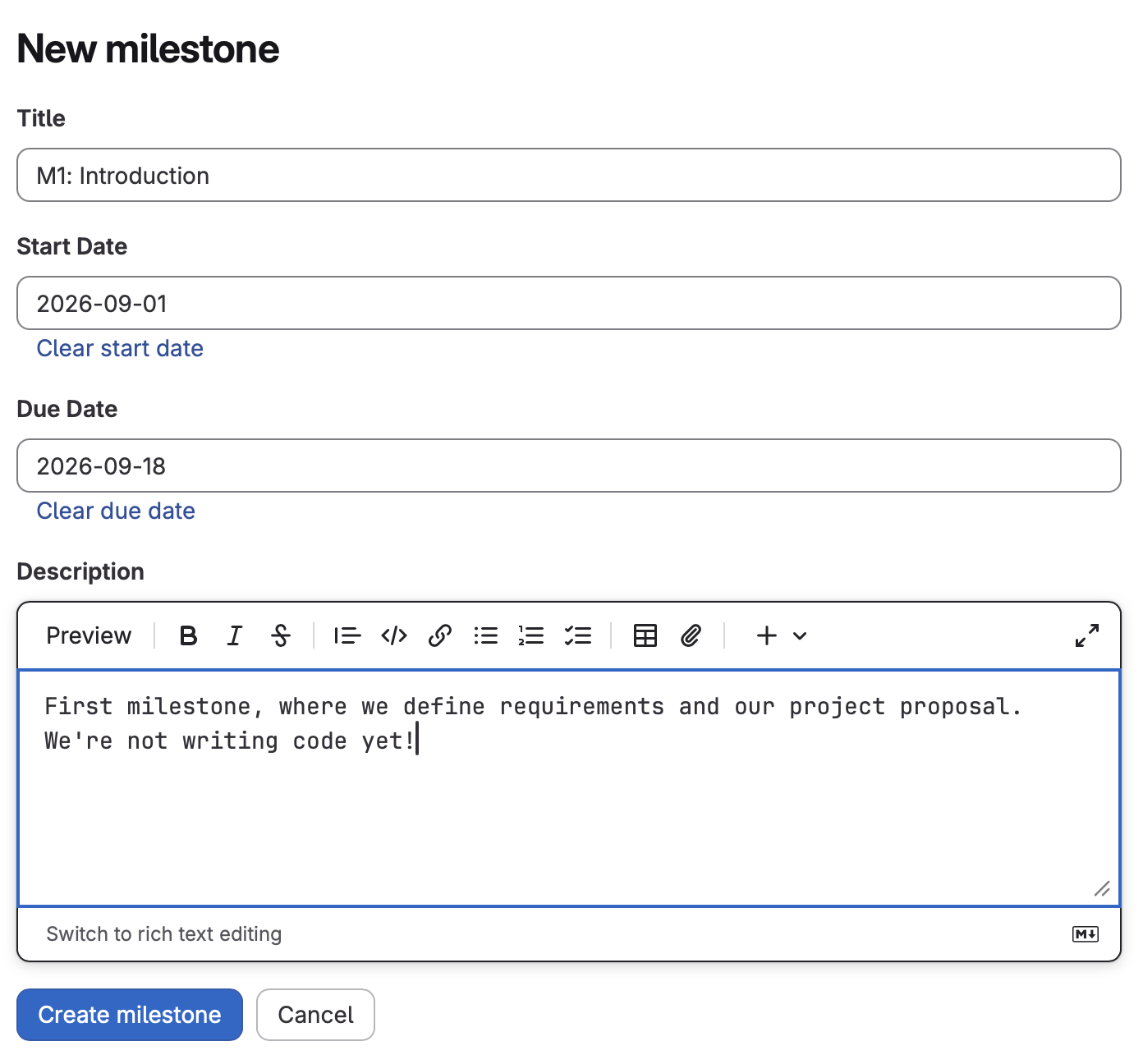
For a title, use one of the following:
- M1: Introduction
- M2: Front-End
- M3: Common Data
- M4: Back-End
The Start and End dates for a milestone should correspond to the first day (when you started working on it) and last day (your demo day).
Tracking Work Items#
Work items should be logged against milestones. See Log Work Items.