Work with Git
You will be using Git for version control. We’ll discuss the various operations you need to perform using Git.
Get a local working copy
This is your first step after GitLab is setup: clone a local, working copy of the repository to your computer.
Open the web page for your GitLab project. Click on the Code button, and copy the URL from Clone with HTTPS.
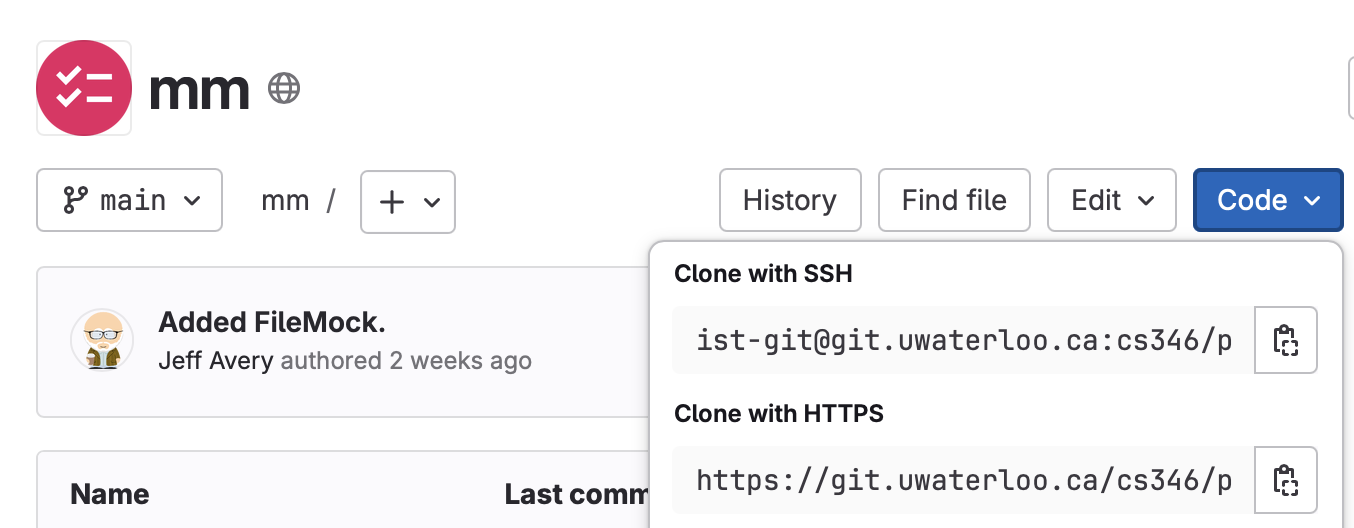
In a terminal, on your computer, cd to the location where you want to keep your source code. git clone the URL.
$ git clone https://git.uwaterloo.ca/cs346/public/mm.gitIn this example, we would have a folder named mm that contains the contents of the Git repository.
Configure Git
You can make local changes to your Git configuration.
Step 1. add a .gitignore file
You should add a .gitignore file to the root of your source tree, if you haven’t done so already.
$ cd working_directory
$ vim .gitignore
Your .gitignore should include at a minimum .idea and build/ folders.
*.class
.idea/
build/
Step 2. Update your git propoerties
You should update your local working copy to use your UW email and username.
$ cd working_directory
$ git config user.email "your_email@example.com"
$ git config user.name "Your Name"
Save and commit changes
Once these changes are complete, you can and push the changes.
$ git add *
$ git commit -m "Initial commit"
$ git push
Once this is complete, your teammates should be able to git pull and see your changes in their own working copy.
Final Word
