Refactor Code#
Refactoring is a controlled technique for improving the design of an existing code base. Its essence is applying a series of small behavior-preserving transformations, each of which “too small to be worth doing”. However the cumulative effect of each of these transformations is quite significant. – Fowler et al. Refactoring. 2018
What purpose does it serve?
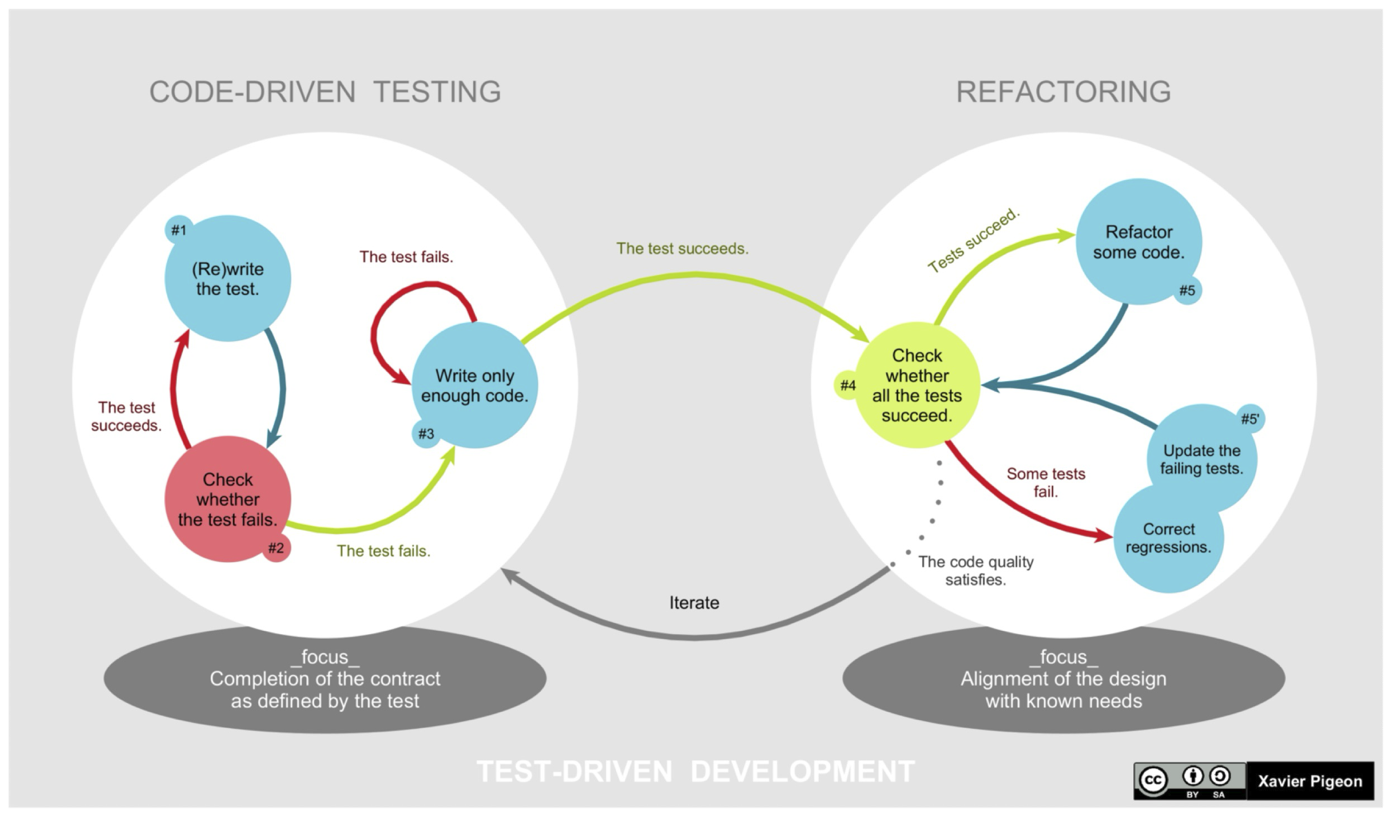
- It promotes continual improvement of your designs.
- Acknowledges that changes don’t happen in isolation. The cumulative effects of software changes over time can result in code decay.
- Refactoring focuses on the transformations themselves, and how to perform them without compromising your source code.
When to Refactor?#
You can watch for these indications that your code needs some work. We aim for well-structured code that is easy to understand and reason over.
- Large classes: This suggests that the single responsibility principle is being violated. Break down large classes into easier-to-understand, smaller classes.
- Long methods/functions: Long methods or functions may indicate that the function is doing more than one thing. Split into smaller, more specific functions or methods.
- Duplicated code: Unnecessary complexity. Rewrite to create a single instance.
- Meaningless names: These make the code harder to understand. Replace with meaningful names and check for other shortcuts that the programmer may have taken.
- Unused code: This increases the reading complexity of the code. Delete it!
Refactoring Patterns#
The process of refactoring should look like this:
- Identify the problem to solve. Apply a pattern to address it.
- Do not add any new functionality during refactoring.
- Ensure that all existing tests continue to pass.
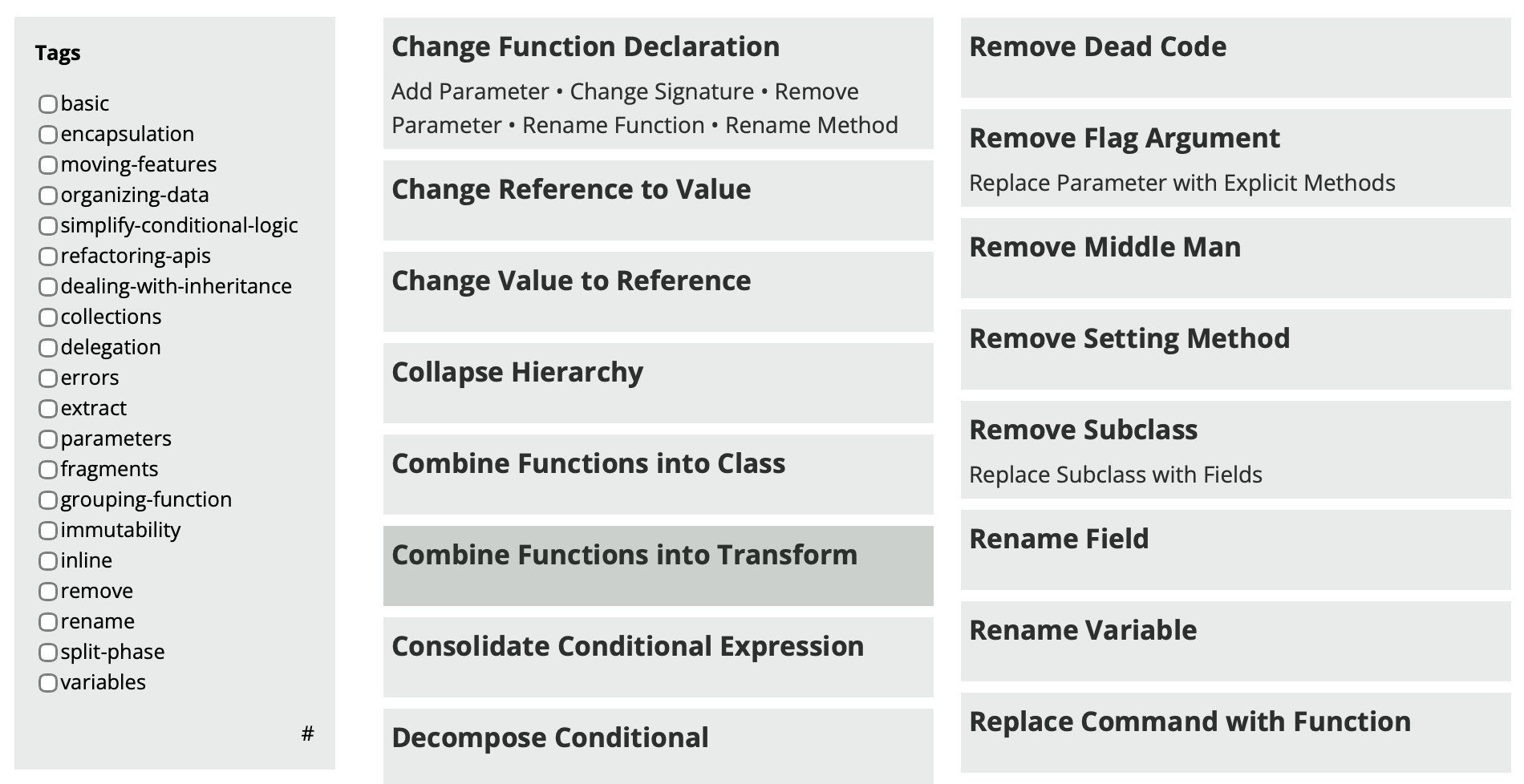
Refactoring patterns are methods for fixing a specific problem that you’ve identified.
Extract Method#
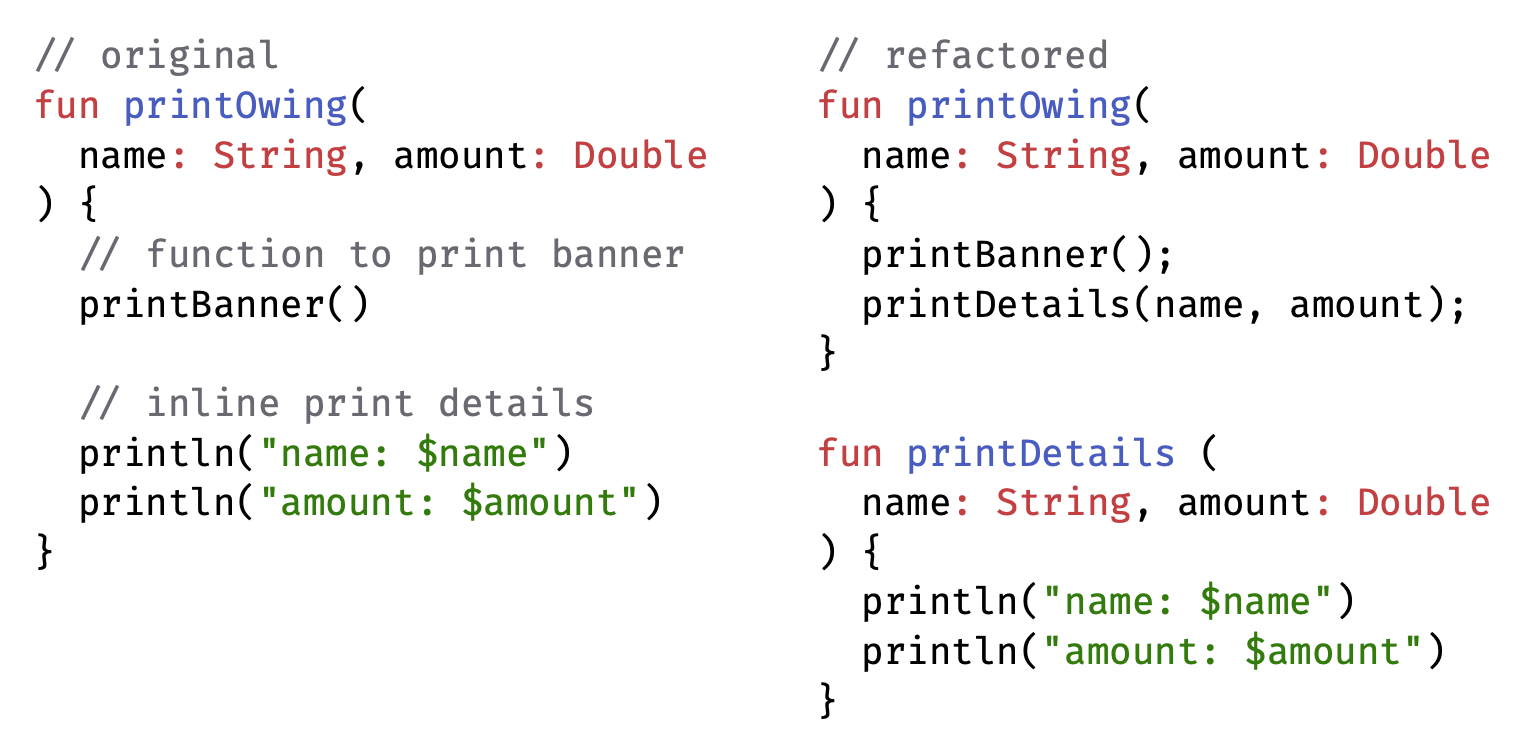
We might extract a method from existing code. Do this to make the original higher-level function easier to read, make it easier to invoke a function.
Inline Method#
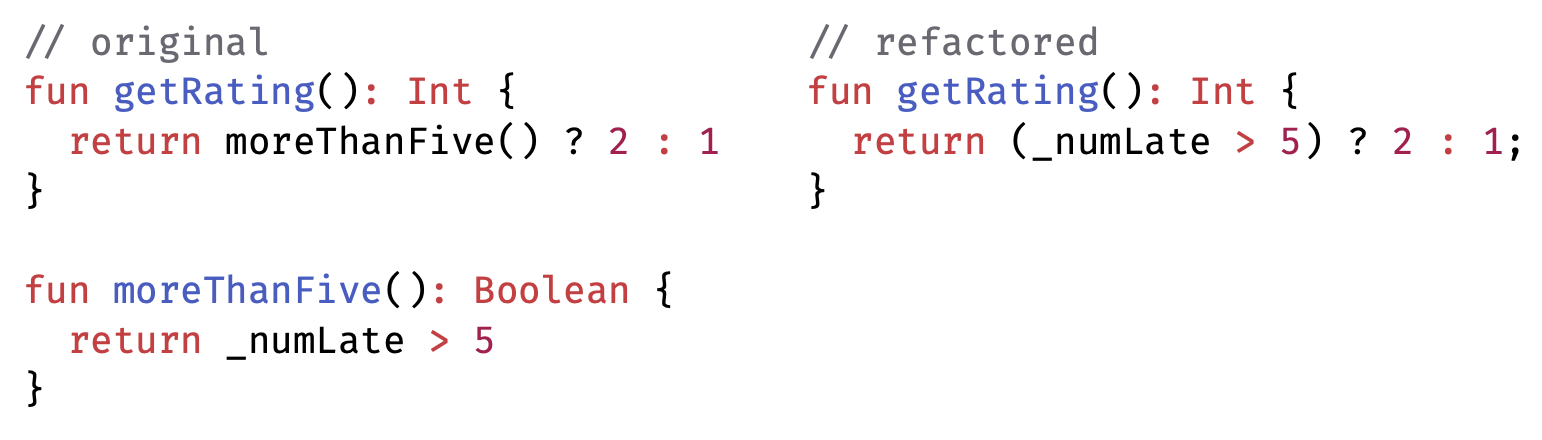
We might also the opposite: remove a pointless method.
Do this when indirection is needless (simple delegation). Also do this when group of methods are badly factored and grouping them makes them clearer.
Extract Class Method#
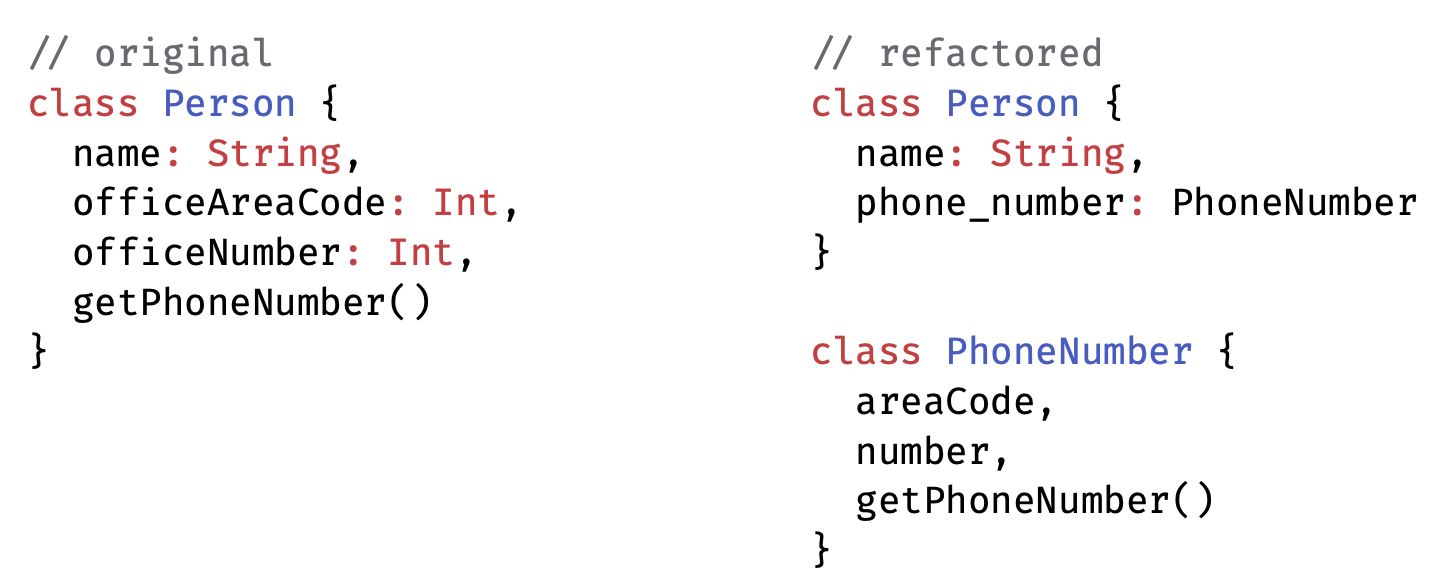
You have one class doing work that should be done by two. Create a new class and move the relevant fields and methods from the old class into the new class.
Do this when subsets of methods seem to belong together, or you have data that could be managed as an independent class.
Make sure your unit tests pass after refactoring! If a tests fails, it suggests one of two things:
- You made an error during refactoring. This one is a no-brainer; go ahead and fix the error.
- Your tests were too low-level. For example, you were testing private methods of classes. In this case, the tests are to blame. You can either refactor the tests themselves or write an entirely new set of higher-level tests.
IDE Support#
IntelliJ has built-in support for many refactorings!
For a full list, press Ctrl-T witih code selected in your IDE. Common ones include:
- Rename (Shift+F6): Rename a variable, method, class, or other element and updates all references to it throughout the codebase.
- Extract Method (Ctrl+Alt+M): Convert a block of code into a new method.
- Inline (Ctrl+Alt+N): Replace method calls with the method’s code.
- Change Signature (Ctrl+F6): Modify the signature of a method, including parameters, return type, and visibility.
- Move (F6): Move classes, methods, or variables to a different package.
- Extract Variable (Ctrl+Alt+V): Extract an expression into a new variable.
- Extract Field (Ctrl+Alt+F): Extract a selected expression into a new field.
- Introduce Parameter (Ctrl+Alt+P): Introduce a new parameter to a method/constructor.
- Safe Delete (Alt+Delete): Delete a file/element without breaking references.